


This is a practical childcare change management playbook: the stakeholder maps, pilot scripts, micro-training modules, parent communication windows, adoption KPIs, and failure-mode checks that make a new system actually take root. Not theory. The messy operational version.
Why good software still fails in daycare — and the human systems that make it stick
Most center directors assume the hard part of adopting new software is the software itself. The data mapping, the training videos, the setup calls. But platforms are rarely what sink a rollout. What sinks it is the assistant teacher who keeps a paper sign-in sheet "just in case," the parent who never opens the app, and the lead teacher who was never actually asked whether the new attendance flow fits how her room runs at 7:45 a.m.
Software adoption in a childcare center isn't a tech project. It's a change-management project that happens to involve tech. Centers that treat it that way — mapping who's affected, scripting the first 90 days, building small training rituals, giving parents a predictable window to adjust — get adoption rates that look nothing like the center down the road that bought the same tool and quietly abandoned it four months later.
The real reason adoption stalls: nobody owns the human side
There's a pattern that shows up constantly. A center signs a contract. The vendor runs a setup call with the director and maybe the office manager. Everyone's excited. The director forwards a login email to staff with a cheerful "we're going digital!" note. And then nothing really changes.
Eliminate administrative bottlenecks.
Carexly helps you manage enrollments, attendance, and staff schedules effortlessly.
- Streamlined child enrollment
- Automated parent notifications
- Staff shift and activity scheduling
No credit card required
-
The people who do the work daily were never consulted on the workflow
-
There's no owner for the transition — only an owner for the purchase
-
Parents got no warning, no window, and no reason to switch behavior
-
Training was a one-time email instead of a repeated, low-effort ritual
-
Nobody defined what "adopted" actually means, so nobody can tell if it's working
Three weeks later, half the teachers are still doing attendance on paper and re-entering it later — or not at all. Billing is running through the new system, but two families are confused about autopay. The director is spending more time than before, not less, because now there are two systems to reconcile.
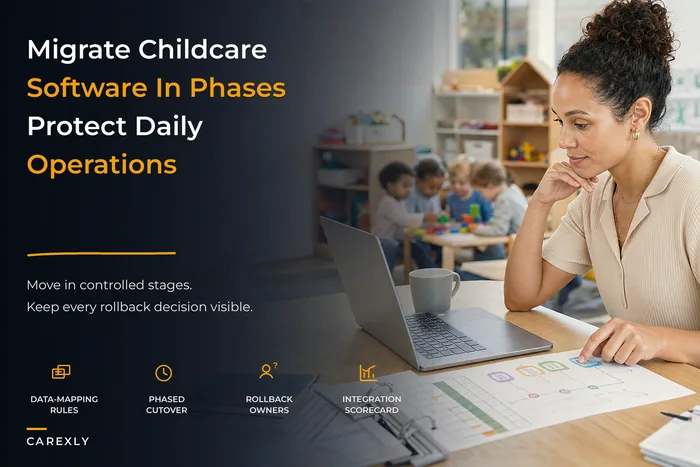
If you've already gone through a vendor-agnostic cutover and data-mapping process, you've handled the technical migration. This playbook is the layer that sits on top — the part that decides whether all that migration work pays off.
Start with a stakeholder map, not a training schedule
Before you schedule a single training session, map who's actually affected and what they each stand to gain or lose. This takes about an hour and prevents the two most common failures: ignoring the people who quietly resist, and over-training the people who don't need it.
A daycare stakeholder map is smaller than a corporate one, but the dynamics are sharper because everyone wears multiple hats.
| Stakeholder | What changes for them | Biggest friction | What wins them over |
|---|---|---|---|
| Director/Owner | New reporting, oversight tools | Time cost during transition | Fewer end-of-month fire drills |
| Lead teachers | Attendance, incident logs, daily reports | Disrupts classroom rhythm | Saves time on parent updates |
| Assistant teachers | New device/login habits | "Why fix what works?" | Simpler, less duplicate work |
| Office/admin staff | Billing, enrollment, records | Fear of breaking payroll | Fewer reconciliation headaches |
| Parents | App, payments, communication | Another thing to download | Faster pickup, real-time updates |
| Floaters/subs | Must learn fast, use rarely | No time to train | Dead-simple quick-start card |
The insight most directors miss: lead teachers are the swing vote. If they adopt enthusiastically, assistants follow and parents hear positive framing at pickup. If leads resist, the whole thing leaks. Spend your political capital there first.
One mistake that comes up constantly — directors train everyone identically. A floater covering one room a week doesn't need the same 45-minute walkthrough as a lead teacher. Match depth to usage, or you'll waste goodwill and hours.
The 30/60/90 pilot: scripts you can actually run
Don't roll out center-wide on day one. Pilot in one or two classrooms first. A pilot does three things: it surfaces real workflow problems while the stakes are low, it creates internal champions who sell the tool for you, and it gives you proof before you ask the whole staff to change.
Here's a phased pilot structure with the actual talking points.
Days 1–30: Prove it works in one room
Pick your most organized lead teacher — not your most resistant one. You want an early win, not a stress test.
Kickoff script (director to pilot teacher):
> "I want to try the new system in your room first, just for 30 days. You know your room better than anyone, so I need you to tell me where it's clunky. We're not committing the whole center yet — we're testing it with you so we don't roll out something that doesn't fit. If it's making your mornings harder, I want to hear that too."
That framing matters. You're positioning the teacher as a co-designer, not a test subject. It flips resistance into ownership.
During this phase, run parallel for the first week — paper and digital together — then cut over to digital-only by day 10. Running parallel indefinitely is how centers end up with two permanent systems.
Days 31–60: Expand to 2–3 rooms and stress the workflow
Now add rooms with different dynamics — an infant room, a preschool room — because what works for 4-year-olds breaks for infants. Feeding logs, nap tracking, diaper counts — the volume is completely different.
Expansion huddle script (to new pilot rooms):
> "Maria's room has been using this for a month. She's going to show you what she figured out. A few things were annoying at first and we fixed them. What I need from this group is: tell me what breaks in your room, because infant rooms log way more than preschool."
By day 60, you want written answers to: What's faster now? What's slower? What did we stop doing on paper entirely? What's still duplicated?
Days 61–90: Lock the standard and prep center-wide
This is where you convert pilot learnings into a documented standard — the exact way attendance, incidents, and daily reports get entered. Not the vendor's suggested workflow. Your workflow.
Standard-setting script:
> "Based on the pilot, here's our way of doing it. Not the vendor's suggested way — our way, adapted to how we actually run. This is what we train everyone on next month."
Centers that skip this step end up with five teachers using the same software five different ways, which quietly destroys reporting consistency.
A quick visual of the 30/60/90 pilot workflow.
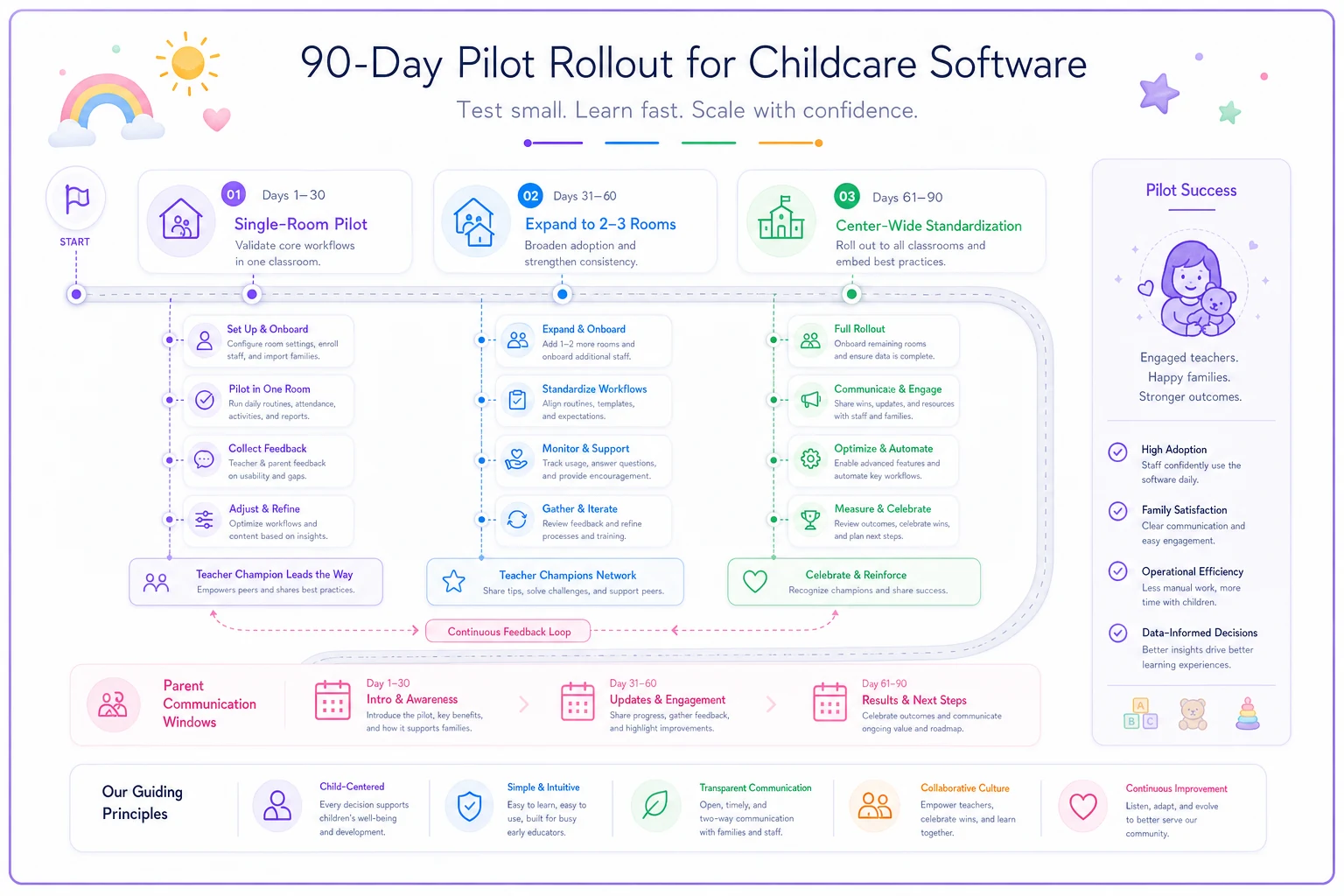
This visual captures the flow and key feedback loops between pilot rooms, teacher champions, and center-wide rollout.
Micro-training modules: short, repeated, hands-on
The single-long-training-session model fails in childcare because teachers can't retain a 45-minute walkthrough while also watching eight toddlers. What works is micro-training: 10-minute, single-task sessions that stack over a few weeks.
Build modules around one task each:
-
Clock-in and room assignment (10 min) — just logging in and selecting the right room
-
Attendance + check-in/out (10 min) — the single highest-frequency task
-
Daily report entry (15 min) — meals, naps, activities, with a live example
-
Incident logging (15 min) — tied to your existing reporting standards
-
Parent messaging basics (10 min) — when to send, when not to
-
Troubleshooting the five most common problems (10 min) — login fails, wrong room, offline mode
Deliver these during nap time or staff meetings, one per session, with the teacher doing the clicking — not watching you do it. People don't learn software by watching. They learn by fumbling through it once with someone beside them.
Pair every new user with a pilot teacher who's already fluent.
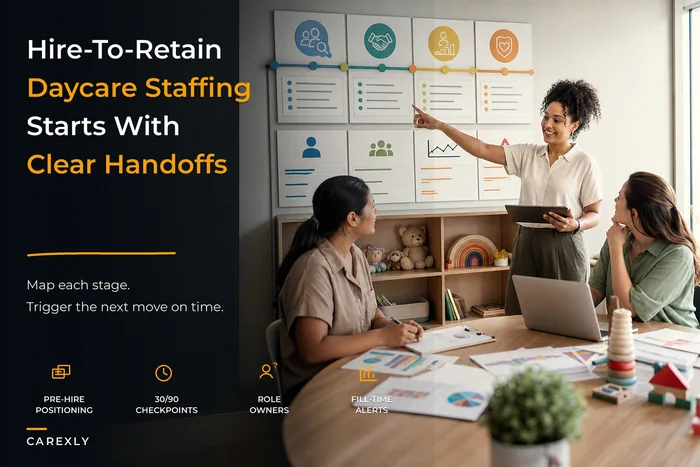
The ritual that makes this stick: a "two-week buddy" system. Pair every new user with a pilot teacher who's already fluent. When the assistant teacher gets stuck, she asks her buddy, not the director. This keeps the support load distributed and builds peer accountability. If you've mapped roles and SOPs through a hire-to-retain staffing lifecycle, slot software competencies directly into those role definitions so training isn't a separate, forgotten thing later.
Parent communication windows: don't surprise families
Parents are the stakeholder group centers most often forget, and they're the ones who generate the most noise when a rollout goes sideways. A parent who shows up at pickup and is suddenly told "sign out on the tablet now" — with zero warning — will push back, and that pushback reaches your front desk fast.
-
Three weeks out "Here's what's changing and why. Nothing you need to do yet." Frame the benefit — faster pickup, real-time photos, easier payments.
-
Two weeks out Download link, setup instructions, and an in-person help offer at drop-off/pickup.
-
One week out Reminder plus a specific go-live date. Name a person they can ask.
-
Go-live week Staff at the door helping parents through the first few check-ins in person.
-
Two weeks after Gentle nudge to the stragglers who still haven't onboarded.
Treating adoption as mandatory before you've made it easy is where lasting resentment starts. A parent who can't figure out autopay and gets a late fee because of your transition will remember that for a long time.
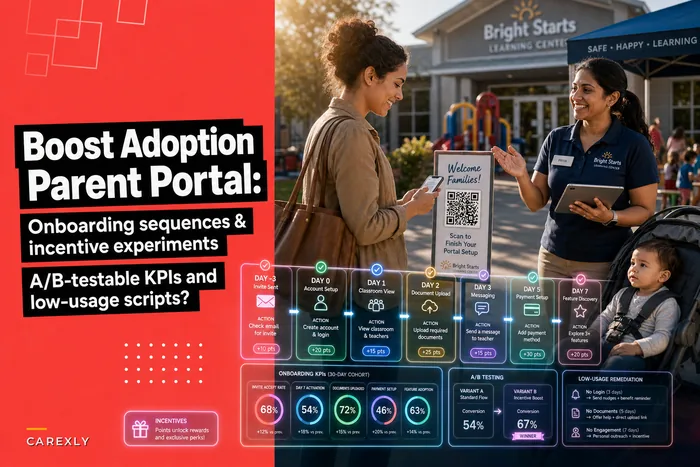
If you want the deeper mechanics of driving parent-side usage — incentives, nudge sequences, the metrics that matter — that's covered specifically in the piece on parent portal adoption and onboarding sequences. Pair it with the windows above.
Adoption KPIs: define "adopted" before you start
"We're using the new system" is not a measurement. You need to know, concretely, whether the thing is taking hold or quietly rotting. Pick a handful of KPIs and check them weekly during the first 90 days.
Staff-side adoption:
-
% of attendance records entered digitally (target
near 100% by day 30 in pilot rooms)
-
% of daily reports completed in-system vs. paper
-
Duplicate-entry rate — are teachers doing both paper and digital? That number should fall to zero
-
Average time to log an incident (should drop as fluency builds)
Parent-side adoption:
-
% of families who've completed app setup
-
% of payments running through the new system
-
% of parents using digital check-in/out
Operational signal:
-
Director hours spent reconciling between systems (should drop, not rise)
-
Front-desk questions about the new system per week (spikes then fades — if it never fades, something's broken)
The pattern worth watching: if staff adoption is high but parent adoption is stuck under half, your problem is communication, not the tool. If staff adoption itself is low, your problem is training or workflow fit. The KPIs tell you where to intervene instead of guessing.
A real scenario: how a two-room pilot saved a center-wide rollout
A center with roughly 70 kids and about a dozen staff bought a new management platform to replace a mix of paper logs and a clunky billing spreadsheet. Their first instinct was a center-wide launch over a single weekend.
Instead, they piloted in two rooms for about six weeks. Within the first two weeks, the infant room surfaced a problem nobody anticipated: the daily-report flow assumed one feeding entry at a time, which meant teachers were tapping through the same screens eight or nine times a shift. In a preschool room that friction would've been invisible. In the infant room it was a dealbreaker.
Because they caught it in a pilot, they worked out a batch-entry habit and adjusted their internal standard before the rest of the center ever touched it. When they did go center-wide, duplicate paper logging dropped to basically zero within about three weeks, and the director estimated she clawed back somewhere around four to six hours a week she'd previously spent reconciling billing by hand.
Had they done the big-bang weekend launch, the infant-room problem would've hit every room at once, complaints would've piled up fast, and — based on how these things usually go — half the staff would've retreated to paper and called the software "a waste of money." Same tool. Completely different outcome. The difference was entirely the rollout approach.
Failure-mode checklist: catch the leaks early
Run through this before go-live and again at the 30- and 60-day marks. Each item is a failure that derails otherwise fine rollouts.
-
[ ] Shadow paper systems still running — someone kept the old sheet "just in case." Find it, retire it, or the duplicate entry never ends.
-
[ ] No named transition owner — if the answer to "who owns adoption?" is "the director, among 40 other things," it'll slip.
-
[ ] Floaters and subs untrained — they'll default to paper and reintroduce inconsistency into every room they cover.
-
[ ] Parents onboarded under 60% — you have a communication gap, not a tech gap.
-
[ ] No standard for data entry — five teachers, five methods, unusable reports.
-
[ ] Vendor training was one-and-done — no micro-training follow-up means retention craters.
-
[ ] KPIs undefined — you literally cannot tell if it's working.
-
[ ] Reconciliation time going up, not down — the clearest sign you're running two systems in parallel permanently.
-
[ ] Lead teachers quietly resistant — if your swing voters aren't on board, address it directly before center-wide launch.
The item that catches people off guard most often is floaters and subs. You train your core staff well, and then a sub covers the toddler room for a day, can't log in, grabs a paper sheet, and now that room's data has a hole that someone has to patch manually later.
When a slow, scripted rollout makes sense — and when it doesn't
This full playbook makes sense when you have more than a couple of rooms, meaningful parent-facing changes (payments, check-in, communication), and staff who've been doing things the same way for years. The more entrenched the habits and the more families affected, the more the phased approach pays off.
You can compress it when you're running a very small center — one or two rooms, a handful of families — where "pilot" and "center-wide" are nearly the same thing. In that case, skip the multi-room expansion phase but keep the micro-training and parent windows. Those are what parents and staff actually feel, so don't cut them to save time.
Centers mid-crisis are the one situation where a slow rollout is a bad idea. If you're switching software because your current system is actively failing — billing is broken, compliance records are a mess — you don't have the luxury of a 90-day pilot. Move faster, accept more friction, and lean harder on the vendor's support during cutover. A patient, phased rollout is a luxury of centers that aren't already bleeding.
The system view: adoption is coordination, not installation
The centers that get real value from new software aren't the ones who bought the "best" platform. They're the ones who treated adoption as a coordination problem across four groups — directors, teachers, support staff, and parents — and built small, repeatable rituals to keep each group moving in the same direction.
Everything in this playbook connects. The stakeholder map tells you where the resistance lives. The pilot surfaces workflow problems before they go wide. Micro-training builds fluency without wrecking classroom time. The parent windows prevent the front-desk noise that makes directors give up. And the KPIs tell you, honestly, whether any of it is working.
Software adoption fails quietly. It doesn't blow up — it erodes, one shadow paper log at a time, until you're paying for a platform you barely use. The way you prevent that isn't better software. It's a deliberate, human rollout that respects how a center actually runs at 7:45 in the morning, with eight toddlers in the room and no spare hands. Get that right, and the tool you already bought starts doing the job you bought it for.
Ready to transform your daycare operations?
Join hundreds of daycare centers using Carexly to save time, improve communication, and enhance child care quality.