

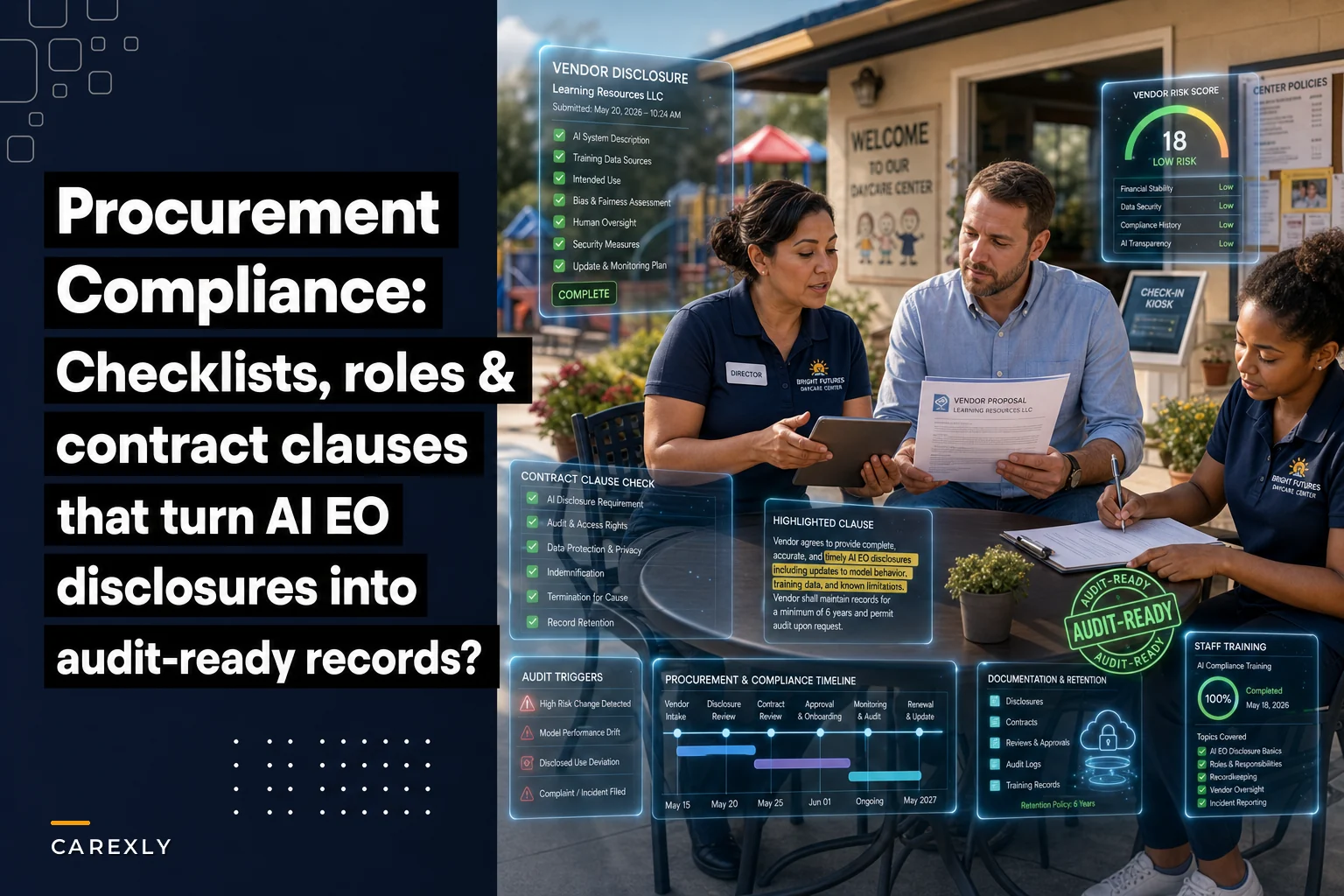

Getting good answers from a software vendor is only half the job. The harder part is what happens after the vendor emails you a two-page "AI transparency statement" and you have no idea where to file it, who owns it, or how you'd show it to a licensing inspector eighteen months from now when that inspector asks, "What AI is touching your enrollment data?"
That's the gap this checklist closes. If you've already worked through the vendor questions you should be asking after the executive order, this is the operational layer underneath it — roles, timelines, documentation, retention, contract language, and the audit triggers that tell you when to go back and re-check a vendor you already approved.
Assign the roles before you touch procurement
The single most common failure pattern is diffusion of responsibility. The director assumes the owner is tracking it. The owner assumes the office manager who "handles the software stuff" has it covered. The office manager thinks it's an IT thing, and there is no IT person.
-
Procurement owner — the person who signs, negotiates, and holds the vendor relationship. Usually the owner or director.
-
Compliance keeper — the person who maintains the records, tracks retention dates, and can produce documents on demand. Often the office manager or an admin lead.
-
Operational reviewer — the person who actually uses the software daily and would notice if the AI behavior changed (billing suggestions got weird, attendance flags started misfiring).
In a small center these might collapse into two people. That's fine. What's not fine is zero named owners, because then vendor disclosures become nobody's job the moment the contract is signed.
Have the operational reviewer run a short checklist during the first two weeks of rollout to catch behavioral drift early.
One thing worth flagging: the operational reviewer role gets skipped constantly, and it's the one that catches real problems. Your front-desk lead who runs billing every Friday will notice an AI-driven late-fee calculation acting strange long before any formal audit would.
The procurement timeline, laid out
Rushing a software decision is how centers end up locked into a two-year contract with a vendor who can't answer a basic question about where its model training data comes from. Here's a realistic timeline for a center that isn't under emergency pressure.
Eliminate administrative bottlenecks.
Carexly helps you manage enrollments, attendance, and staff schedules effortlessly.
- Streamlined child enrollment
- Automated parent notifications
- Staff shift and activity scheduling
No credit card required
| Phase | Timeframe | What happens | Who owns it |
|---|---|---|---|
| Discovery | Weeks 1–2 | Shortlist vendors, send disclosure questions | Procurement owner |
| Disclosure review | Weeks 2–4 | Collect written answers, score completeness | Compliance keeper |
| Reference & gap check | Weeks 4–5 | Call references, flag missing disclosures | Procurement owner |
| Contract markup | Weeks 5–7 | Add clauses, negotiate retention/audit terms | Procurement owner |
| Internal sign-off | Week 7 | File everything, set retention dates | Compliance keeper |
| Rollout & training | Weeks 8–10 | Staff training, document distribution | Operational reviewer |
If a vendor pressures you to compress this to a week with an "end-of-quarter discount," that's a warning sign. Vendors who've actually done their AI governance homework don't get nervous about a four-week review. The ones who do are often hoping you skip the fine print.
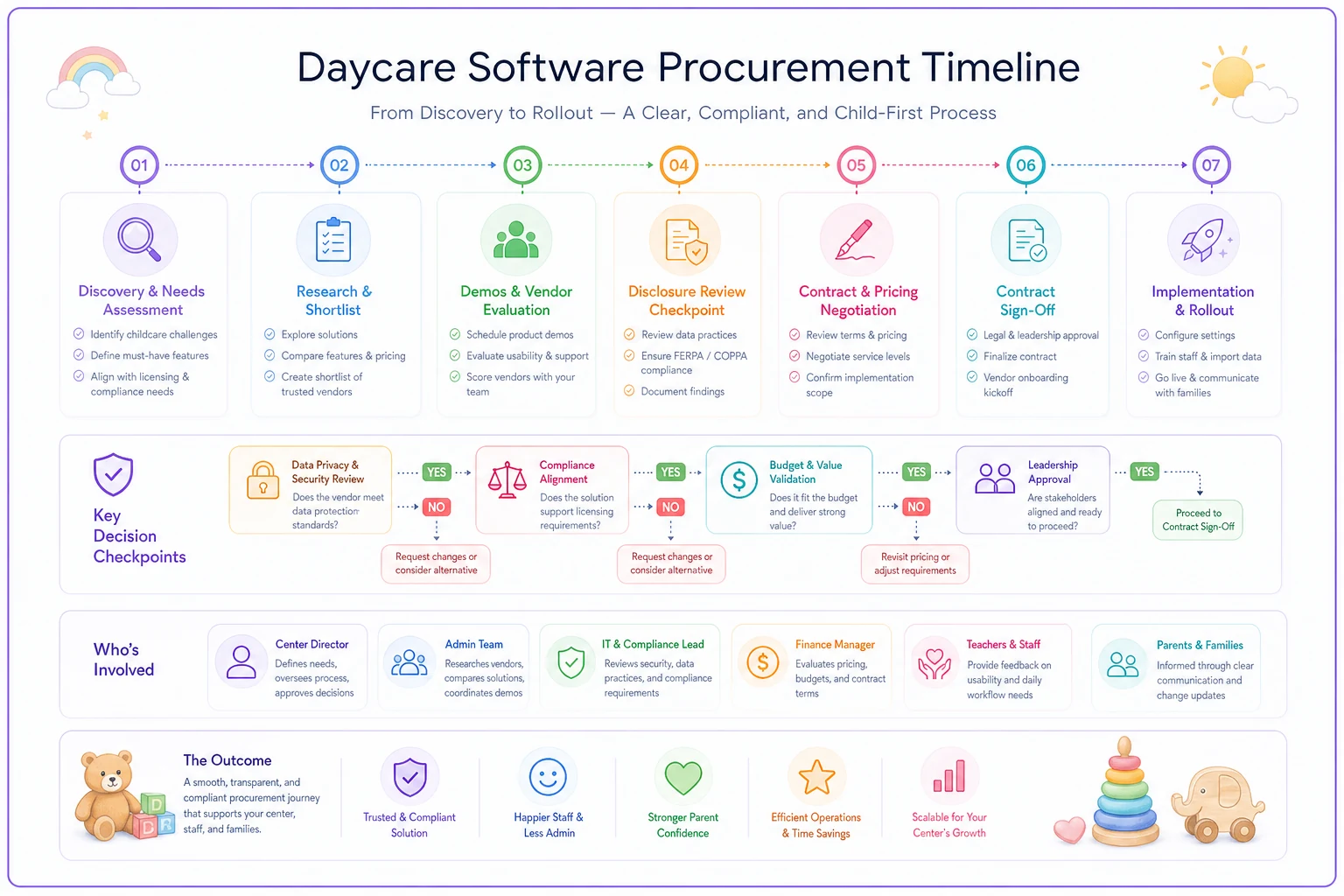
This visual highlights the phases, who owns them, and where to place audit checkpoints.
What documentation you actually need to keep
This is where most centers underperform. They keep the signed contract and nothing else. When an inspector or an insurance renewal asks about AI and data handling, there's no paper trail connecting what the vendor claimed to what you verified.
-
The vendor's written AI disclosure (how AI is used in the product, what data it processes)
-
A statement on whether your center's data is used to train their models, and your opt-out status
-
Data residency and subprocessor list (where data lives, who else touches it)
-
The signed contract with any AI-specific clauses highlighted
-
Your internal review notes and scoring from the disclosure phase
-
Reference call notes
-
The date you last re-verified the vendor, and the next scheduled re-check
The review notes matter more than people expect. If a vendor changes their AI practices and something goes wrong, your dated notes showing you did reasonable diligence at signing are what separate "we exercised care" from "we had no idea."
Retention: how long to hold what
Keep AI-related procurement records for as long as you keep the underlying data, plus a buffer. If you retain a child's enrollment and billing records for seven years after they leave, your vendor's data-handling disclosures for that period should survive at least that long too.
-
Active vendors — keep everything, refresh disclosures annually
-
Departed vendors — keep the full procurement file for at least the length of your longest data-retention obligation, typically the same as your child records
-
Rejected vendors — keep your review notes for a year or two; they're useful if you revisit them later
The mistake here is purging too aggressively. A center that switched software two years ago and deleted the old vendor's disclosures has no way to answer "what happened to the data you sent that vendor?" if a parent asks. Keep the offboarding and data-deletion confirmations specifically.
Sample contract clauses worth adding
You don't need a lawyer to draft these from scratch, but you should have your attorney review the final language. These are plain-language starting points you can hand to counsel.
AI disclosure and change notification: > "Vendor shall disclose all AI or automated decision-making features that process Customer data, and shall notify Customer in writing at least 30 days before materially changing how AI processes, stores, or trains on such data."
Data training opt-out: > "Customer data, including child and family records, shall not be used to train Vendor's AI models without Customer's prior written consent. Vendor shall confirm Customer's current opt-out status upon request."
Subprocessor transparency: > "Vendor shall maintain and provide upon request a current list of all subprocessors with access to Customer data, including any third-party AI services."
Data deletion on exit: > "Upon termination, Vendor shall delete or return all Customer data within 60 days and provide written confirmation of deletion, including data held by any AI subprocessors."
That last clause is the one centers forget, and it's the one that bites hardest during a migration.
Vendor audit triggers — when to re-check someone you already approved
Approval isn't permanent. AI features change fast, and a vendor that was clean at signing can quietly ship something new six months later without making much noise about it.
-
The vendor announces a new AI feature — especially anything touching enrollment decisions, billing, or child data analysis.
-
The vendor is acquired or changes ownership — new owners often change data practices.
-
Your annual review date arrives — set this on a calendar, don't rely on memory.
-
The vendor changes its subprocessor list — new third parties mean new data exposure.
-
A staff member flags unexpected behavior — the operational reviewer notices the software "deciding" something it didn't used to.
-
Your insurance or licensing requirements change — renewal questions often surface new obligations.
Trigger #5 is underrated. Staff on the ground notice behavioral drift long before any formal process would. That's exactly why the operational reviewer role exists.
Staff training — the short, specific version
Your staff don't need a seminar on AI policy. They need to know a handful of concrete things:
-
Which systems use AI to suggest, flag, or decide anything, and that a human should confirm those outputs
-
That child and family data doesn't get copied into random outside tools (no pasting enrollment lists into a free AI chatbot to "clean them up")
-
Who to tell when the software does something unexpected
-
Where the vendor documentation lives, in case someone asks
That third point prevents the most common real-world leak: a well-meaning admin dropping sensitive family data into a consumer AI tool to save time. It happens more than you'd think, and it's almost always from good intentions and zero guidance.
A real scenario
A mid-sized center — around 85 enrolled kids across two sites — went through this process after switching management platforms. During disclosure review, their office manager flagged that the new vendor's answer on model training was vague: "data may be used to improve services." That soft phrase triggered a follow-up.
Turned out the default setting did feed anonymized usage data into model training, with opt-out available but buried in the account settings. The center requested the opt-out in writing, got it confirmed, and added the training clause above to the contract before signing.
Cost of that catch: maybe three extra hours of review and one firmer email. The alternative — discovering it during an insurance renewal or a parent complaint a year later — would have meant scrambling to prove they'd never consented, with no paper trail. The extra diligence added roughly a week to their timeline and produced a file they could hand to anyone who asked.
Where software built for this actually helps
Most of this is recordkeeping discipline, and plenty of centers manage it fine on a shared drive and a calendar reminder. But as the volume grows — multiple vendors, multiple sites, annual re-checks stacking up — the manual version starts dropping stitches. Retention dates slip. Nobody remembers which vendor's disclosure is overdue for refresh.
An operational platform with AI-assisted document tracking earns its keep here: it holds your vendor files centrally, flags when a disclosure hasn't been refreshed in a year, and keeps the retention clock running so nothing gets purged early or forgotten. The value isn't the AI angle — it's that the boring, easy-to-skip follow-ups actually happen on schedule instead of living in someone's head.
For the recordkeeping side specifically, a central system that timestamps who reviewed what and when turns "we think we handled that" into "here's the dated record."
The recordkeeping tracker
Build a simple tracker — a spreadsheet works — with one row per vendor and these columns:
-
Vendor name and product
-
Disclosure received (date)
-
Training opt-out status (yes/no/confirmed date)
-
Subprocessor list on file (yes/no)
-
Contract signed (date) with AI clauses (yes/no)
-
Review notes location (link)
-
Last re-verification date
-
Next scheduled re-check (date)
-
Data deletion confirmed (for departed vendors)
Keep it somewhere your compliance keeper and procurement owner both access, and review it at a fixed cadence — quarterly is plenty for most centers.
Bringing it together
The executive order didn't hand daycare centers a compliance crisis. It handed them a reason to do something they should've been doing anyway: knowing which outside systems touch their families' data, keeping proof of their diligence, and re-checking vendors instead of trusting a one-time answer forever.
Start with the role assignments. Keep documentation that connects vendor claims to your actual verification. Set retention dates and re-check triggers before you forget. If you've already asked the right vendor questions the executive order calls for, this checklist is simply what you do with the answers — and how you prove, cleanly and without panic, that you did your job.
Start with the role assignments. Keep documentation that connects vendor claims to your actual verification. Set retention dates and re-check triggers before you forget. If you've already asked the right vendor questions the executive order calls for, this checklist is simply what you do with the answers — and how you prove, cleanly and without panic, that you did your job.
Ready to transform your daycare operations?
Join hundreds of daycare centers using Carexly to save time, improve communication, and enhance child care quality.