

You bought the portal. You paid for the licenses. You sent the welcome email with the login link. And three months later, half your families still text your front desk to ask what time pickup is, or hand you a paper immunization form you specifically asked them to upload.
This is the gap nobody warns you about. Portal adoption isn't a software problem — the software works fine. It's a behavior problem. Parents already have 40 apps they ignore, and yours is competing with all of them at 6:45am while they're wrangling a toddler into a car seat.
So this is a playbook for the behavior side. Not "here's how to set up your portal," but how to get a busy parent to actually build the habit of using it. Onboarding sequences, incentive-and-policy combos you can test, the KPIs that tell you if it's working, and scripts for the families who go dark.
First, the number that actually matters
Most centers measure adoption wrong. They look at "accounts created" and feel good when it hits 90%. Account creation is meaningless. A parent creating an account during enrollment paperwork tells you nothing — they were forced to.
The metric that predicts everything is weekly active families — the percentage of enrolled families who open the portal and do at least one meaningful action (check in, read a message, view a photo, pay, sign something) in a rolling 7-day window.
A typical center that thinks it has "great adoption" because 88% of accounts are created often sits at 30–40% weekly active. That's the real starting line. Healthy is closer to 70–75%. Very few centers ever hit 90%, and honestly you don't need to — you need enough that the portal becomes your default channel instead of a backup one.
The pattern worth internalizing: adoption is won or lost in the first 14 days. A family that logs in three or more times in their first two weeks almost always becomes a long-term active user. A family that logs in zero or one time in that window almost never converts later without direct intervention. So the whole game is front-loaded.
The onboarding sequence that builds the habit
Dumping everything on a new family at once is the most common mistake. The welcome email lists ten features, links to a 20-minute video, and asks them to complete their profile, upload documents, set up autopay, and download the app — all before their kid's first day. Nobody does all of that. They do one thing, get overwhelmed, and close the tab.
Eliminate administrative bottlenecks.
Carexly helps you manage enrollments, attendance, and staff schedules effortlessly.
- Streamlined child enrollment
- Automated parent notifications
- Staff shift and activity scheduling
No credit card required
Instead, sequence it so each touchpoint asks for exactly one action, and each action is slightly more involved than the last. You're training a behavior, not delivering a manual.
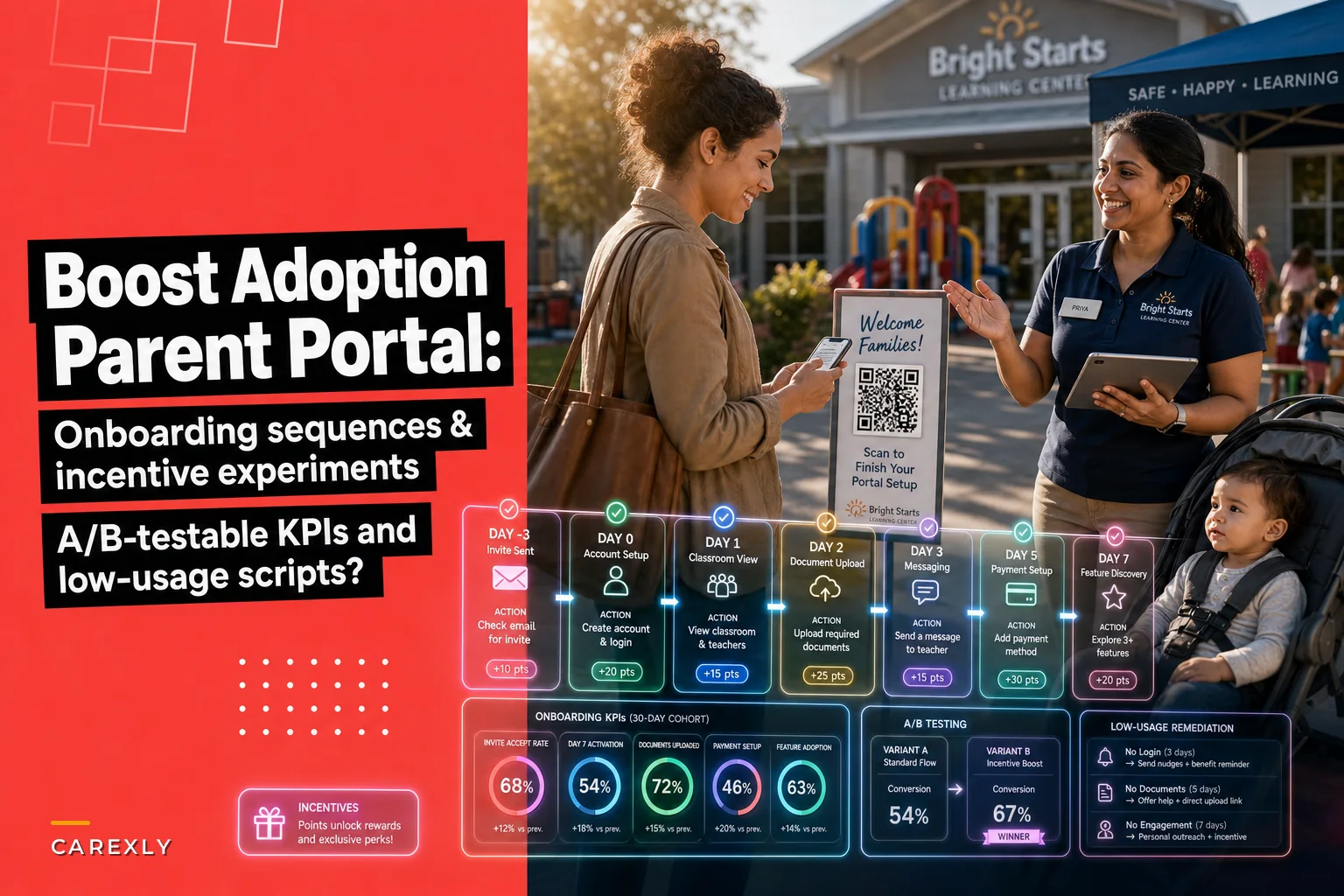
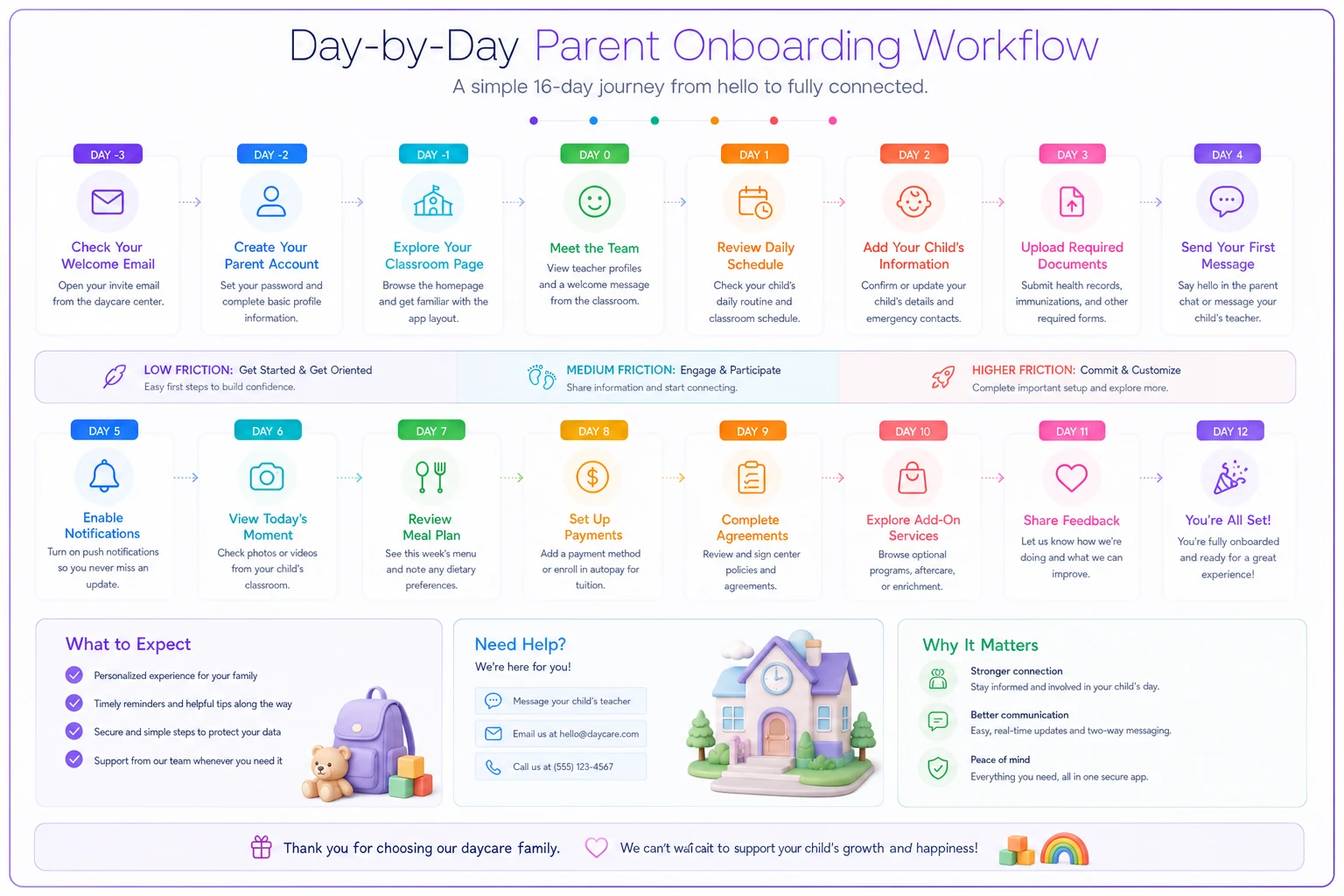
Here's a sequence that works across most centers:
-
Day -3 (before first day) Single email. One job: log in and see your child's classroom page. That's it. "Click here, log in, and meet Ms. Rivera's room." Low stakes, high curiosity. Getting them to log in once before day one is the highest-leverage moment in the entire process.
-
Day 1 (first day) A photo. If your teachers post even one picture of the child settling in, that's the hook. Parents who are anxious about a first day will open that immediately. Now they've logged in twice.
-
Day 2 Ask for one document upload — the one you actually need most (usually immunization records or an emergency contact confirmation). One document, not the whole packet.
-
Day 4 Introduce messaging. "Have a question for the room? Message Ms. Rivera directly here." This replaces the front-desk text habit if you catch it early enough.
-
Day 7 Set up payment. By now they trust the tool, so the higher-friction ask lands better than it would have on day one.
-
Day 12 Show them something they didn't know they had — the daily report, the calendar, the sign-in feature. A "did you know?" nudge right at the edge of the habit-forming window.
Notice the payment ask comes on day 7, not day 1. Centers instinctively front-load billing setup because that's what they care about. But leading with the transactional ask kills momentum. Lead with photos and classroom connection — the emotional stuff — and the administrative asks follow more easily.
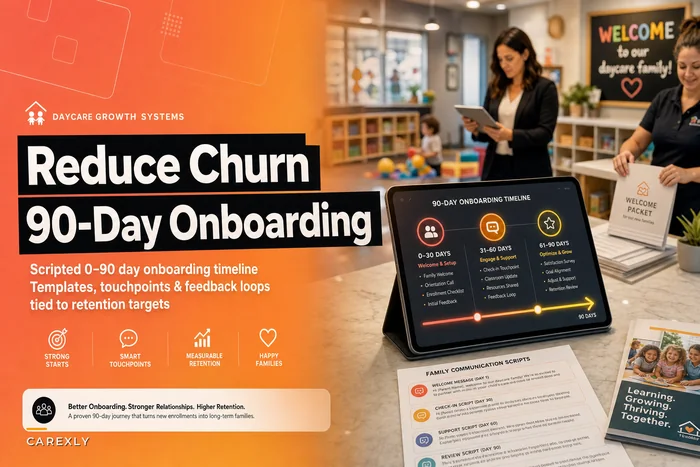
This sequencing philosophy fits naturally into good enrollment onboarding in general. If you've already built a strong new-family flow, plug the portal steps into it — there's a full breakdown in our post on a scripted 90-day onboarding timeline that pairs well with this.
Incentives and policies: test the combo, not just the carrot
Centers waste money here constantly. They offer a gift card raffle for downloading the app, get a spike, and then usage flatlines. Incentives alone create a one-time action, not a habit. What actually shifts behavior is pairing an incentive with a policy — a carrot and a gentle structural change that makes the old behavior slightly less convenient.
Make the portal the easy path. Make the paper/text path the mildly annoying path. Not punishing — just nudging.
| Incentive alone | Policy alone | Combo (what actually works) |
|---|---|---|
| $25 gift card raffle for app download | "All forms must be submitted digitally" | Digital-only forms + "families fully set up by Friday get first pick of the fall photo day slot" |
| Enter to win a free week for autopay signup | Late paper-payment fee | Autopay families skip the processing fee + a small monthly draw |
| Free branded water bottle at check-in | Sign-in only via portal kiosk | Portal check-in required + a monthly "perfect attendance record" shout-out for families who consistently use it |
The right column works because the policy removes the fallback option while the incentive rewards the new behavior. A center that switched to portal-only permission-slip signatures — while running a small "signed by Wednesday = entered in a monthly prize draw" — saw signed-slip return rates go from the usual scramble to nearly complete within a week, mostly because paper was simply no longer offered.
A few things worth testing, one variable at a time:
-
Incentive type tangible reward (gift card) vs. status reward (public shout-out) vs. convenience reward (skip a fee, priority scheduling). Convenience rewards usually beat cash for busy parents.
-
Deadline framing "set up by Friday" vs. no deadline. Deadlines consistently outperform.
-
Who delivers the ask front desk vs. the child's own teacher. When the teacher says "post-nap photos go up in the app around 2, check it out," adoption climbs far more than when it comes from admin.
That last point is underrated. The teacher is the trusted relationship. Route your nudges through them whenever you can.
When incentives are a bad idea
Don't run incentives if your portal experience is actually bad. If the app is slow, logins fail, or notifications are broken, an incentive just accelerates families discovering that it's frustrating. Fix the friction first. Incentives amplify whatever experience you already have — good or bad.
Also skip the raffle-style incentives if your parent base would find a "prize draw" gimmicky. For some populations, a straightforward "here's why this saves you time" message outperforms any reward.
The KPIs to watch (and the ones to ignore)
Keep a small dashboard you check weekly, not a wall of vanity metrics. Track these:
-
Weekly active families % — the north star. Everything else supports this.
-
Time-to-first-login for new families — should be under 3 days. If it's creeping up, your Day -3 email isn't landing.
-
Feature adoption spread — what % of active families use messaging, payments, check-in, documents. A family that only uses one feature is fragile; a family using three is locked in.
-
Channel leakage — how many parents still call, text, or hand in paper for things the portal handles. This is your real proof of adoption. If front-desk texts about pickup times drop noticeably, you're winning.
-
14-day cohort retention — of families who enrolled this month, what % logged in 3+ times in their first two weeks. This predicts your active rate two months out.
Ignore: total downloads, total accounts, cumulative logins-of-all-time. They only go up and they tell you nothing actionable.
One thing worth flagging: watch feature adoption spread by classroom. You'll almost always find one or two rooms with dramatically higher parent activity — and it's not the parents, it's the teacher who posts photos consistently. That teacher is your template. Figure out what they do and make it the standard.
Remediation: what to do about the families who go dark
Some families will stall no matter how good your sequence is. Don't treat them all the same. Segment by why they're inactive, because the fix is different for each group.
Segment 1 — Never logged in (0 logins after 10 days). Usually a technical or access issue: wrong email on file, never got the link, couldn't figure out the password reset. This is not a motivation problem, so don't send motivational messaging. Send a fix.
> "Hi [Name] — noticed you haven't been able to get into the parent app yet. Quick question: did the login email land in your inbox? I can resend it or set you up in 2 minutes at drop-off tomorrow if that's easier."
Segment 2 — Logged in once, then nothing. They saw it, nothing pulled them back. They need a reason to return — and the reason is almost always a photo or a message about their specific child.
> "Hi [Name] — Ms. Rivera posted a few photos of [Child] from art time today, they came out great. They're in the app under Photos whenever you get a sec 🙂"
Segment 3 — Logs in occasionally but still uses paper/phone for everything. These families treat the portal as read-only. Nudge them toward one transactional action.
> "Hey [Name] — just a heads up, you can sign [Child]'s field trip form right in the app now, takes about 10 seconds and you won't have to remember the paper. Want me to walk you through where it is?"
The mistake is sending the same "please use the portal!" reminder to all three groups. Segment 1 gets annoyed because they literally can't log in. Segment 3 ignores it because they think they already use it. Match the message to the behavior.
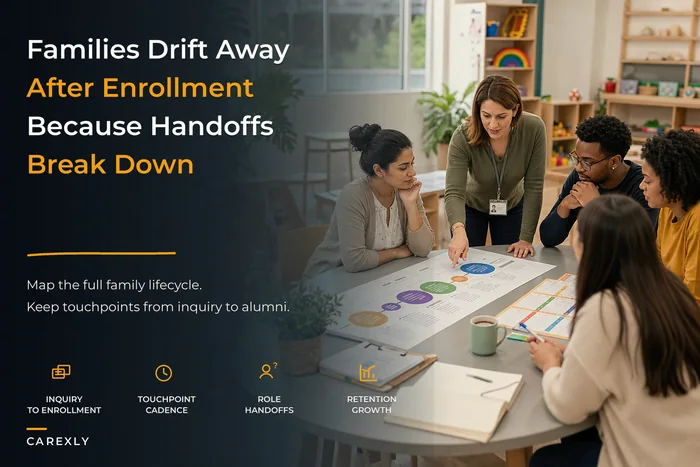
For families who've gone quiet in a bigger way — not just portal-silent but disengaging from the center entirely — portal inactivity is often an early warning sign of churn. Worth reading alongside how to map the full inquiry-to-alumni family engagement lifecycle, because a family that stops opening the app is frequently a family that's mentally halfway out the door.
A real scenario
A two-room center with around 60 enrolled families rolled out a portal and coasted at about 35% weekly active for the first four months. The front desk was still fielding a steady stream of pickup-time texts and chasing paper immunization forms every few weeks.
They changed three things. First, they rebuilt onboarding into the single-action-per-day sequence above, leading with a first-day photo instead of payment setup. Second, they moved permission slips and daily sign-in to portal-only, paired with a low-key "set up by Friday, priority pick for photo day" nudge. Third, they had teachers — not admin — post at least one photo per room every afternoon.
Over about six weeks, weekly active families climbed to somewhere around 68%. The bigger win was qualitative: the front desk stopped drowning in "what time is pickup" texts, and immunization form chasing basically disappeared because paper was no longer accepted. Nobody needed a $25 gift card. The convenience-plus-photos combination did the work.
Templates you can A/B test starting this week
Pick one variable, run it for two to three weeks, compare active rates or response rates between groups.
-
Subject line test (Day -3 email) "Meet [Child]'s classroom before Monday 🎨" vs. "Your parent portal is ready — log in here." (Emotional/child-specific vs. functional.)
-
Sender test send the Day 1 photo nudge from the classroom teacher's name vs. the center's general account.
-
Deadline test "Complete setup by Friday" vs. "Complete setup this week" vs. no deadline.
-
Reactivation test (Segment 2) photo-based nudge vs. a text-only "you're missing daily updates" nudge. Photo almost always wins, but confirm it for your families.
-
Policy framing test "Forms are now digital" (neutral) vs. "Save yourself the paperwork — forms are digital now" (benefit-framed).
Log the results somewhere simple. You're not running a science lab, you're just refusing to guess. Two or three of these tests will tell you more about your families than a year of assumptions.
The point of all this
Portal adoption gets treated like an IT rollout — send the link, done. It's not. It's a habit you're building in people who are busy, tired, and skeptical of one more app. The centers that get this right lead with connection to the child, remove the paper fallback gently, route nudges through the trusted teacher relationship, and pay close attention to the first two weeks above everything else.
Get the onboarding sequence tight, pair one policy change with one small reward, watch weekly active families instead of vanity downloads, and have specific scripts ready for the families who stall. Do that, and the portal stops being the thing you paid for and hope people use — it becomes the way your center actually runs.
Ready to transform your daycare operations?
Join hundreds of daycare centers using Carexly to save time, improve communication, and enhance child care quality.