

Most centers don't think about backups until the moment they need one. The laptop running your check-in kiosk dies. A ransomware note shows up on the office desktop. Someone's ex-employee still had admin access and deleted a folder. Whatever the trigger, the panic is always the same: parents are dropping off kids, you can't confirm who's supposed to be in which room, and the tuition run scheduled for that afternoon is now a black box.
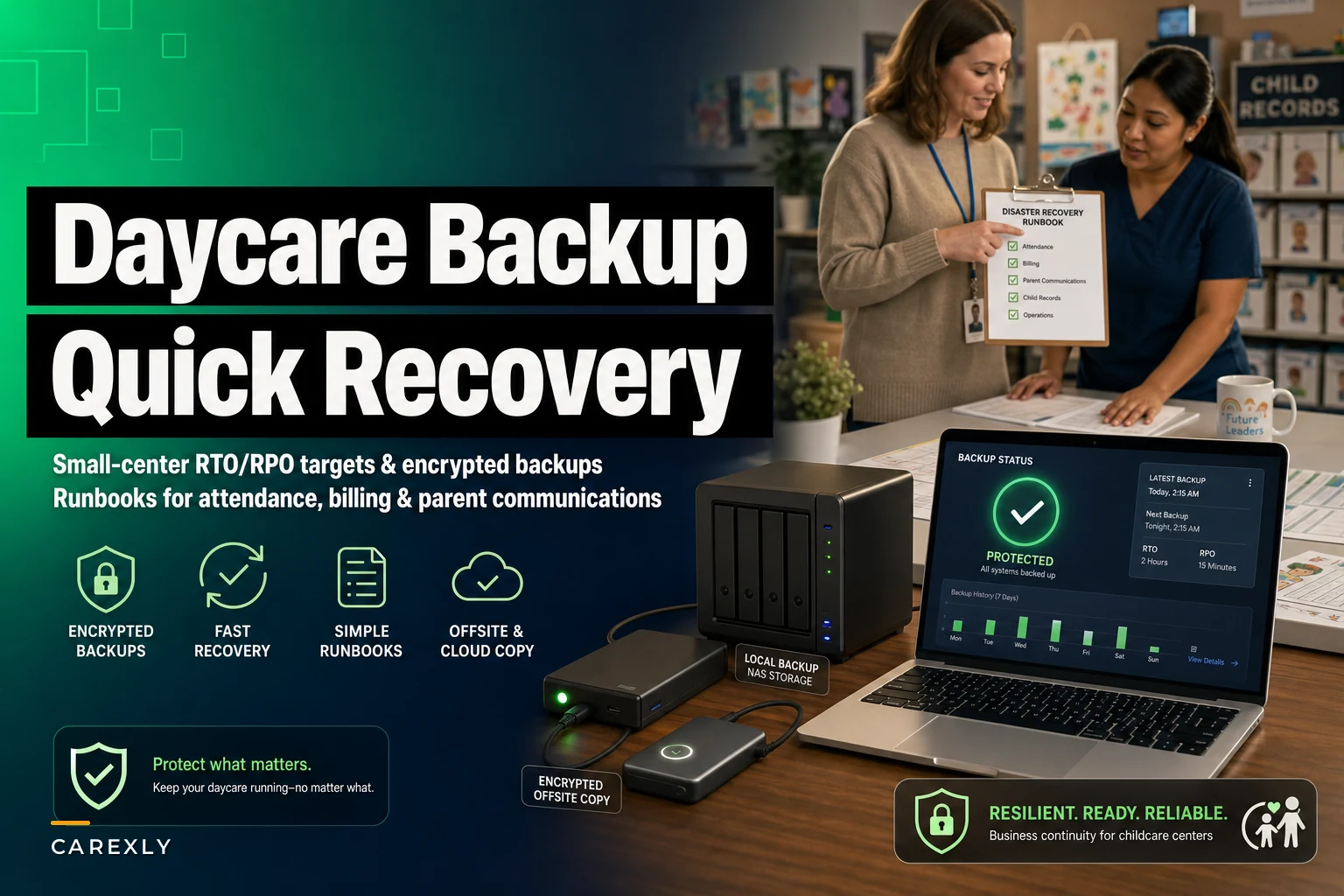
This piece is narrow on purpose. It's about building a childcare data backup plan you can actually execute under stress — with realistic recovery time targets, encrypted places to store copies, and short runbooks for the three systems that hurt most when they go down: attendance, billing, and parent communication. Not a broad IT security lecture. Just the operational plan a small center can run without an IT department.
Why "we have backups" usually isn't a plan
The pattern shows up constantly: a center technically has backups, but nobody has ever restored one. The bookkeeper exports a billing spreadsheet "sometimes." Attendance lives in a cloud app that "probably backs itself up." The parent contact list is in three places that don't agree with each other.
A backup you've never tested is a guess. The gap between "we have a file somewhere" and "we're back running check-in in 45 minutes" is enormous — and that's where centers lose a full day of billing, miscount ratios, and leave parents in a panic because nobody answered the group text.
The other quiet failure: backups stored in the same place as the thing they're protecting. If your only copy of the enrollment database sits on the same office computer that got hit with ransomware, you don't have a backup. You have a second copy of the problem.
The two numbers that decide everything: RTO and RPO
You don't need to be technical to use these, and they'll shape every decision in your plan.
Eliminate administrative bottlenecks.
Carexly helps you manage enrollments, attendance, and staff schedules effortlessly.
- Streamlined child enrollment
- Automated parent notifications
- Staff shift and activity scheduling
No credit card required
-
RTO (Recovery Time Objective) how fast you need a system back. "We must be able to check kids in within one hour of an outage."
-
RPO (Recovery Point Objective) how much data you can afford to lose. "We can't lose more than one day of billing entries."
For a small center, the trick is being honest that these numbers are different for each system. Losing a day of parent chat messages is annoying. Losing a day of attendance timestamps during a state audit is a compliance problem. Losing a week of billing adjustments is real money.
Here's a realistic target table for a single-site center of roughly 60–90 kids:
| System | Why it hurts when it's down | Target RTO | Target RPO |
|---|---|---|---|
| Attendance / check-in | Ratio compliance, who's in the building, subsidy proof | 1 hour | 15 min–1 hour |
| Billing / tuition | Missed drafts, wrong balances, refund disputes | 4–8 hours | 24 hours |
| Parent communication | Panic, no-shows, safety messaging | 2 hours | 24 hours |
| Enrollment / child records | Emergency contacts, allergies, medical | 4 hours | 24 hours |
Attendance has the tightest targets, and that's deliberate. During an emergency evacuation or a licensing spot-check, "we're not sure who's here" isn't an option. If your center relies on getting reporting numbers to line up across systems, the single-source thinking in our piece on when your daycare data disagrees is worth pairing with this — a clean backup of messy, contradictory data just restores the mess faster.
Where copies should actually live (the 3-2-1 rule, translated for daycare)
The old IT rule is 3-2-1: three copies of your data, on two different types of storage, with one copy off-site. For a center without a server room:
-
The live system — your cloud app or the office computer you use daily.
-
A second copy in a different service — encrypted exports saved to a separate cloud drive that isn't tied to the same login.
-
One truly off-site, encrypted copy — an encrypted external drive kept at the owner's home, or a second cloud account with different credentials.
The word that matters across all three is encrypted. A daycare backup contains child names, home addresses, allergy and medical notes, parent phone numbers, and sometimes subsidy or payment details. An unencrypted USB stick with all of that, lost in a parking lot, is a breach you'll be explaining to families and possibly regulators.
Practical encryption without a tech team:
-
Use a cloud provider that encrypts data at rest by default and turn on two-factor authentication on that account.
-
For physical drives, use built-in disk encryption (BitLocker on Windows, FileVault on Mac) or an encrypted archive with a strong password stored in a password manager — not on a sticky note.
-
Never reuse the same login for your primary system and your backup location. If one account gets compromised, the other should survive.
One thing people routinely miss: rotate who holds the off-site copy and write down where it is. When the only person who knew where the encrypted drive lived is on vacation during the outage, the whole plan falls apart.
Rotate who holds the off-site copy and write down where it is.
Never reuse the same login for your primary system and your backup location. If one account gets compromised, the other should survive.
Quick-recovery runbooks (the part you'll actually use at 7am)
A runbook is a short, step-by-step document. Its only job is to remove thinking during a crisis. Keep each one to a single page. Print them. If your only copy of the recovery instructions lives inside the system that's down, that's a design flaw.
Runbook 1 — Attendance / check-in is down
-
Switch to the paper fallback
a printed roster by room, updated weekly and kept in a labeled folder at the front desk.
-
Assign one staff member to log every arrival and departure by hand with a timestamp.
-
Confirm ratios manually per room and note any coverage gaps.
-
Restore the digital system from the most recent backup or reconnect the app.
-
Back-enter the paper log into the system the same day so your official record is complete for subsidy and licensing.
The paper roster is the unglamorous hero here. Centers that keep one current recover from an attendance outage in minutes instead of scrambling.
Runbook 2 — Billing / tuition is down
-
Do not improvise charges. Pause any manual billing actions until you confirm the last good data point.
-
Pull the most recent encrypted billing export and confirm the date — this is your RPO checkpoint. How far back are you?
-
Identify any transactions entered after that export that need re-entering.
-
Restore the billing system, then reconcile
compare restored balances against the export before running any draft.
-
Only after reconciliation matches, resume scheduled payments.
The mistake that keeps happening: a center restores an older backup and immediately runs the tuition draft, double-charging families who already paid. Reconcile first, then draft. Refund disputes cost more trust than a one-day delay ever will.
Runbook 3 — Parent communication is down
-
Fall back to a pre-built emergency contact method — a phone tree, a backup email list export, or an SMS group you maintain outside your main portal.
-
Send one clear message
what happened in plain terms, that kids are safe, and when you'll update them next.
-
Keep the message factual. Silence during an outage generates more anxiety than the outage itself.
-
Restore the portal, then post the same update inside it so records stay consistent.
Keep an exported, encrypted copy of parent contacts refreshed at least monthly. When your portal is the thing that's down, you can't pull contacts from the portal.
A quick workflow for executing a runbook during an outage.
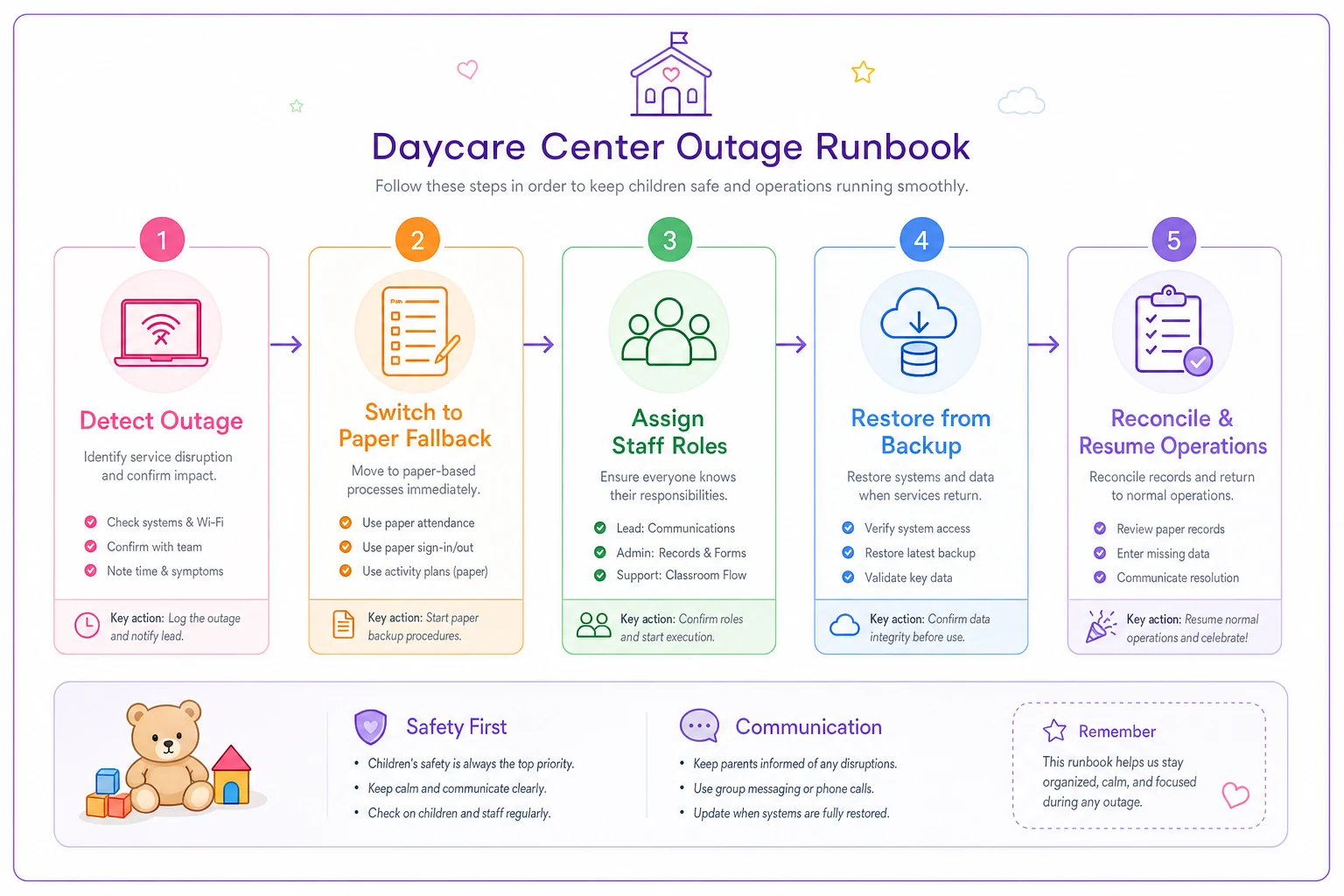
Keep runbooks printed and accessible at the front desk so staff can act without logging into any system.
A realistic scenario: the check-in laptop that took billing with it
A mid-size center — around 70 kids, single location — ran attendance check-in and billing exports from the same front-office laptop. One morning it wouldn't boot. Suspected drive failure. Their "backup" was a monthly billing spreadsheet last saved about three weeks earlier, and attendance lived only in the app cached on that machine.
What the outage actually cost them:
-
Roughly half a day of staff scrambling to confirm who was present.
-
About three weeks of billing adjustments reconstructed by hand from bank records and parent emails.
-
Two families accidentally double-charged during the messy recovery, plus refunds and apology calls that followed.
Nothing catastrophic. No child was ever unaccounted for. But it was a lost day, a stressed team, and some eroded parent trust over billing errors that had nothing to do with the kids themselves.
The fix was cheap and unremarkable. They set daily automatic exports of attendance and billing to a separate encrypted cloud account, added an encrypted external drive kept off-site, printed the three runbooks, and did one test restore. The next time the app hiccuped, they were back to normal check-in in under an hour and lost essentially no billing data. The whole setup took an afternoon.
Owner and admin responsibilities
Owner / director owns:
-
Deciding the RTO/RPO targets per system — the table above is a starting point.
-
Making sure the off-site encrypted copy exists and knowing where it is.
-
Approving who has admin access and revoking it the day someone leaves.
Admin / office lead owns:
-
Confirming daily backups actually ran, not just assuming they did.
-
Keeping the printed runbooks and paper rosters current.
-
Refreshing the exported parent contact list monthly.
-
Running the quarterly test restore.
That last item is the one everyone skips. A test restore doesn't have to be complicated — pick a backup, restore it into a safe copy, confirm the data is real and readable. Do it once a quarter. Fifteen minutes of testing beats discovering a corrupt backup during an actual emergency.
A quarterly readiness checklist
Run through this every three months.
-
[ ] Attendance data backs up automatically, and I've confirmed the last backup date.
-
[ ] Billing exports run at least daily to a separate, encrypted location.
-
[ ] Parent contact list was exported and encrypted within the last 30 days.
-
[ ] One off-site copy exists, is encrypted, and someone besides the owner knows where it is.
-
[ ] Backup accounts use two-factor authentication and different logins from the live system.
-
[ ] Printed runbooks for attendance, billing, and communication are current and at the front desk.
-
[ ] A paper room-by-room roster is printed and updated this week.
-
[ ] We completed a test restore this quarter and the data was readable.
-
[ ] Ex-employees' admin access has been removed.
-
[ ] Every staff member knows the emergency communication fallback.
Anything unchecked is your next task.
Where software quietly makes this easier
Most of this plan is discipline, not technology. But the piece that fails most often — remembering to export data every single day — is exactly the kind of task that shouldn't depend on a busy human remembering to do it. Platforms that manage attendance, billing, and parent communication in one place can push encrypted backups on a schedule automatically, keep an audit trail of who changed what, and let you restore a clean version without rebuilding from bank records and old emails. When that's running in the background, your RPO stops depending on whether the office lead had time on a Thursday.
This matters more the moment you add a second site. Coordinating backups, access, and recovery steps across locations gets complicated fast, and the same discipline that protects one center has to scale. The operational thinking in growing to multiple locations without losing control applies directly to keeping recovery consistent when there's more than one front desk.
Start small, but start this week
You don't need a perfect setup. You need a tested one. Pick your tightest system — almost always attendance — and get a real, encrypted, off-site copy of it running before anything else. Print the one-page runbook. Do a single test restore so you know it works.
A center that can recover check-in in an hour and billing by end of day, without losing families' trust in the process, has already solved the part that actually hurts. The rest is just keeping the checklist honest.
A center that can recover check-in in an hour and billing by end of day, without losing families' trust in the process, has already solved the part that actually hurts. The rest is just keeping the checklist honest.
Ready to transform your daycare operations?
Join hundreds of daycare centers using Carexly to save time, improve communication, and enhance child care quality.